How it works
From idea to production,in one project.
Six stages, and each one reads what the last one made. Evidence picks the idea, the research shapes the brand and the screens, and an AI agent builds against those screens. Nothing is retyped between tools, so nothing gets lost between the idea and the product.
Stage 1 of 6 · Discover
Research what is possible, and what is wanted.
Create a project with a one-sentence objective and a strategy profile: platforms, build horizon, capital and regulatory tolerance, privacy posture, and the channels you can reach. Choose capabilities from the atlas, then let research runs plan queries, fetch pages, and extract claims.
- Goes in
- Your objective and constraints, the capabilities you select, and any sources or notes you add.
- Comes out
- A library of stored sources and atomic claims, each with a locator back to its passage and credibility and freshness metadata.
- Carries into Decide
- Concepts may only rely on capabilities in the atlas and cite claims in the library. Unknown ids fail validation and trigger a repair.
Guarantee. Retrieved pages are data, never instructions. Prompt-injection fixtures are part of the release gate.
Stage 2 of 6 · Decide
Pick the idea with the strongest case.
Opportunities become structured concept genomes. OpenAI and Anthropic evaluators score each criterion independently, code computes the result, and the leader gets a validation plan: ranked assumptions and cheap experiments with kill criteria set in advance.
- Goes in
- The cited evidence, the opportunities you select, and the strategy profile the gates read.
- Comes out
- A ranked portfolio with a recorded decision for each concept, and for the winner a validation plan and a 26-section implementation handoff.
- Carries into Brand
- The winner’s user, job, competitors, and cited evidence. Brand Studio names and positions the brand from them.
Guarantee. Code, not a model, computes every score and applies the gates, so a rank can be recomputed from stored results. Experiment outcomes add a new evaluation; they never edit an old one.
Stage 3 of 6 · Brand
Name it and brand it from the research.
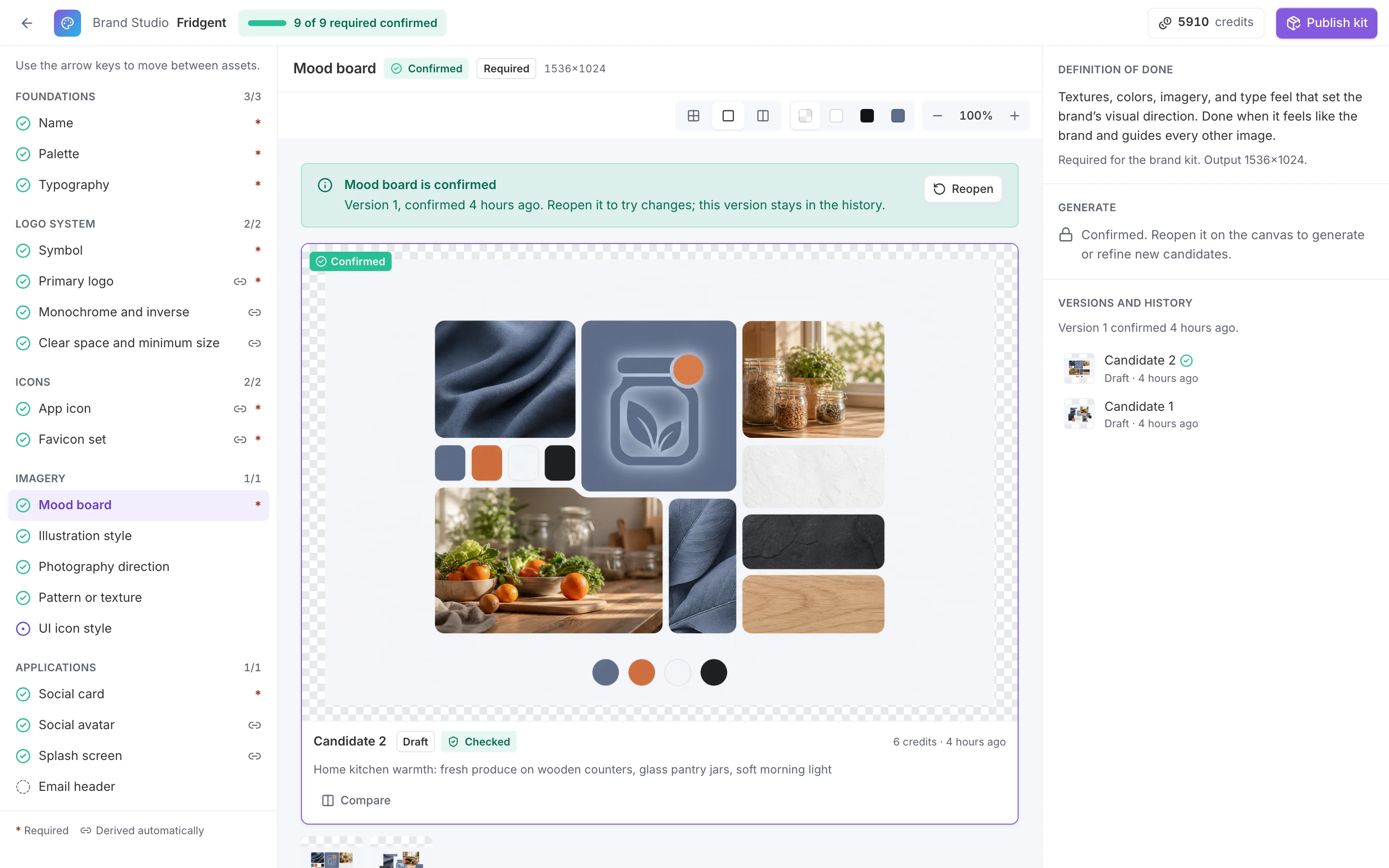
Brand Studio builds the identity slot by slot. Names are screened for pronunciation and spelling in 12 languages, pre-screened against US and EU trademarks, and matched with domains and handles. Palette, type, logo symbol, and imagery arrive as candidates you compare and confirm.
- Goes in
- The winning concept: who it is for, the job it does, its competitors, and the evidence behind it.
- Comes out
- A versioned brand kit: a screened name, a vector logo system, a palette that passes WCAG 2.2 AA, a licensed type pairing, imagery, and DESIGN.md guidelines.
- Carries into Design
- Every screen is generated with the confirmed logo, a palette sheet, a type specimen, and the mood board as references.
Guarantee. Published kits are immutable, so screens and code always point at the kit version they were designed with.
The name screen is a first pass, not legal clearance. Have counsel review a name before you adopt it.
Stage 4 of 6 · Design
Design the screens before the code.
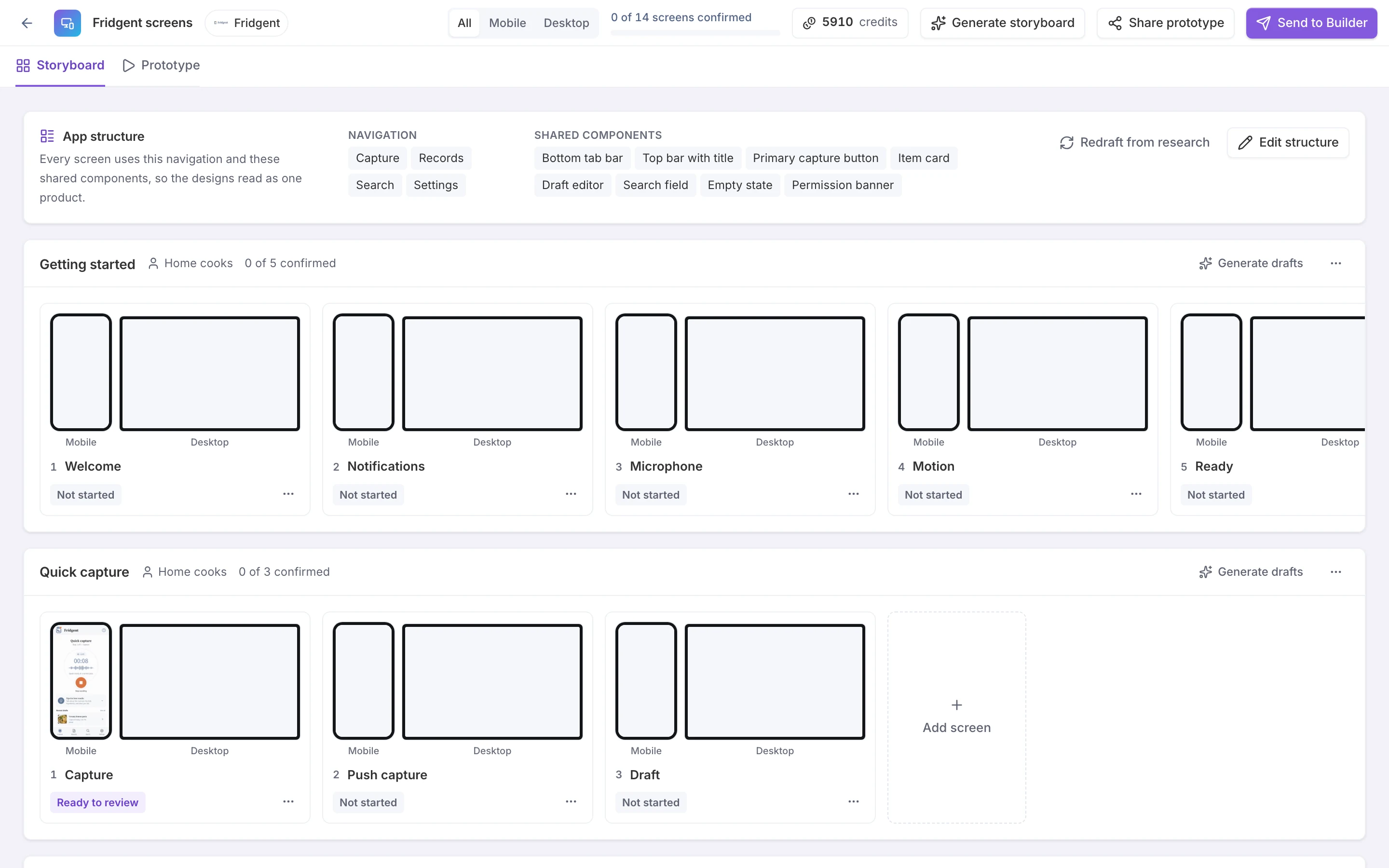
Mockup Studio plans a storyboard from the concept’s research: navigation, shared components, and the flows a user moves through. Pick a screen and a device, generate candidates in your brand, refine them with written direction or a painted region, and confirm the one you want.
- Goes in
- The concept’s job, personas, core loop, capabilities, and constraints, plus the published brand kit.
- Comes out
- A storyboard of up to five flows and 24 screens for mobile, tablet, and desktop, with an editable spec for every confirmed screen.
- Carries into Build
- Confirmed screens, their specs, and the brand kit become the design package, which the Builder imports into the app.
Guarantee. Code enforces the storyboard’s limits and drops screens that trace to nothing in the research.
Stage 5 of 6 · Build
Watch an AI agent build the real app.
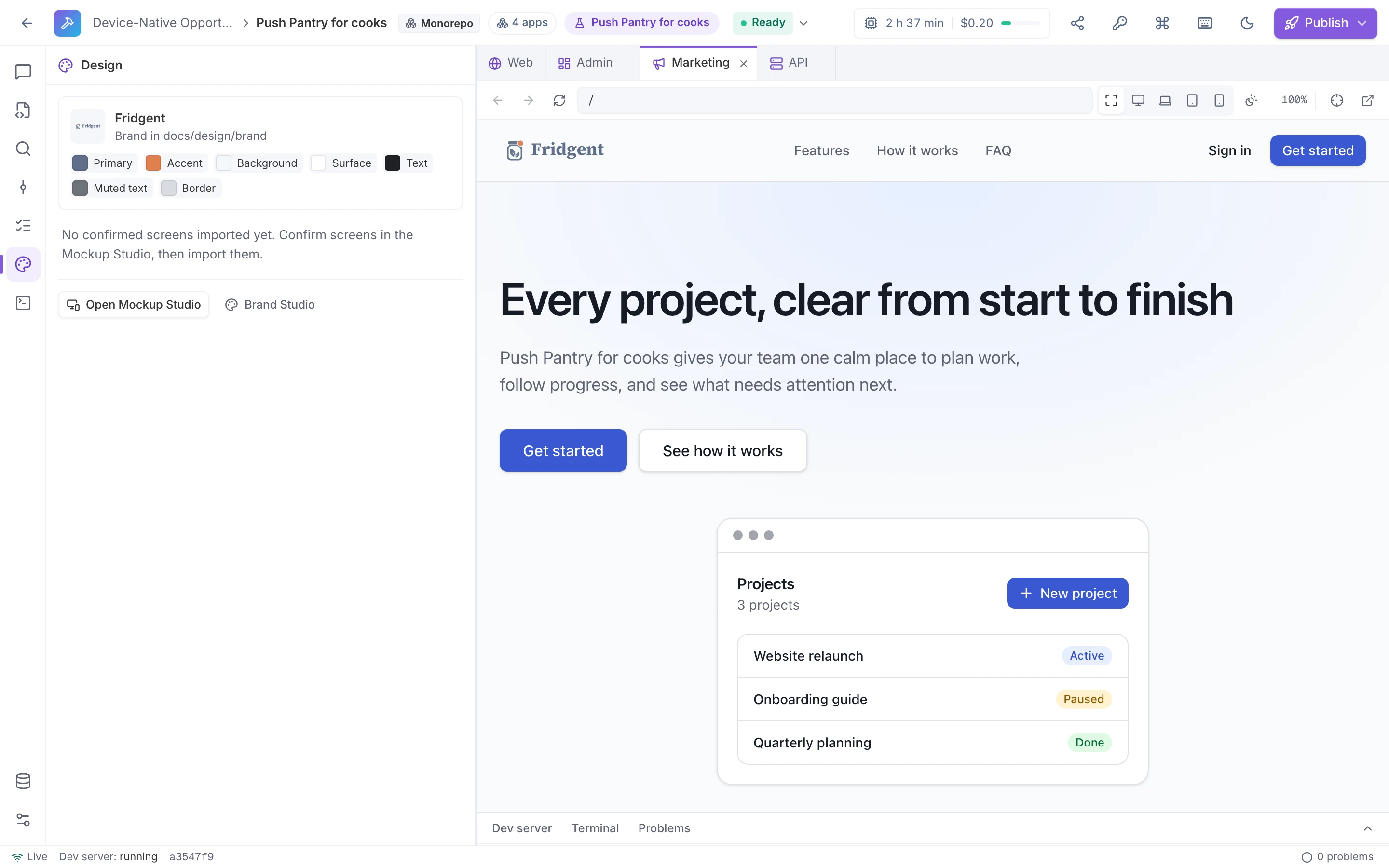
The Builder gives the app a live sandbox and an AI agent. Ask for a change, or select an element in the preview to attach it, and the agent edits the code, runs lint and typecheck, and saves a version while the preview updates beside it. You pick the model and cap what each request may spend.
- Goes in
- The design package in docs/design. Apps made from a concept also start with the implementation handoff in docs/handoff: scope, non-goals, requirements, and acceptance criteria.
- Comes out
- A running app in an ordinary repository, with a version and its diff for every change.
- Carries into Ship
- Any version, published exactly as you reviewed it.
Guarantee. Restoring a version saves a new one, so history is never rewritten. Sandbox time counts against your plan’s build minutes.
Stage 6 of 6 · Ship
Put it in front of people.
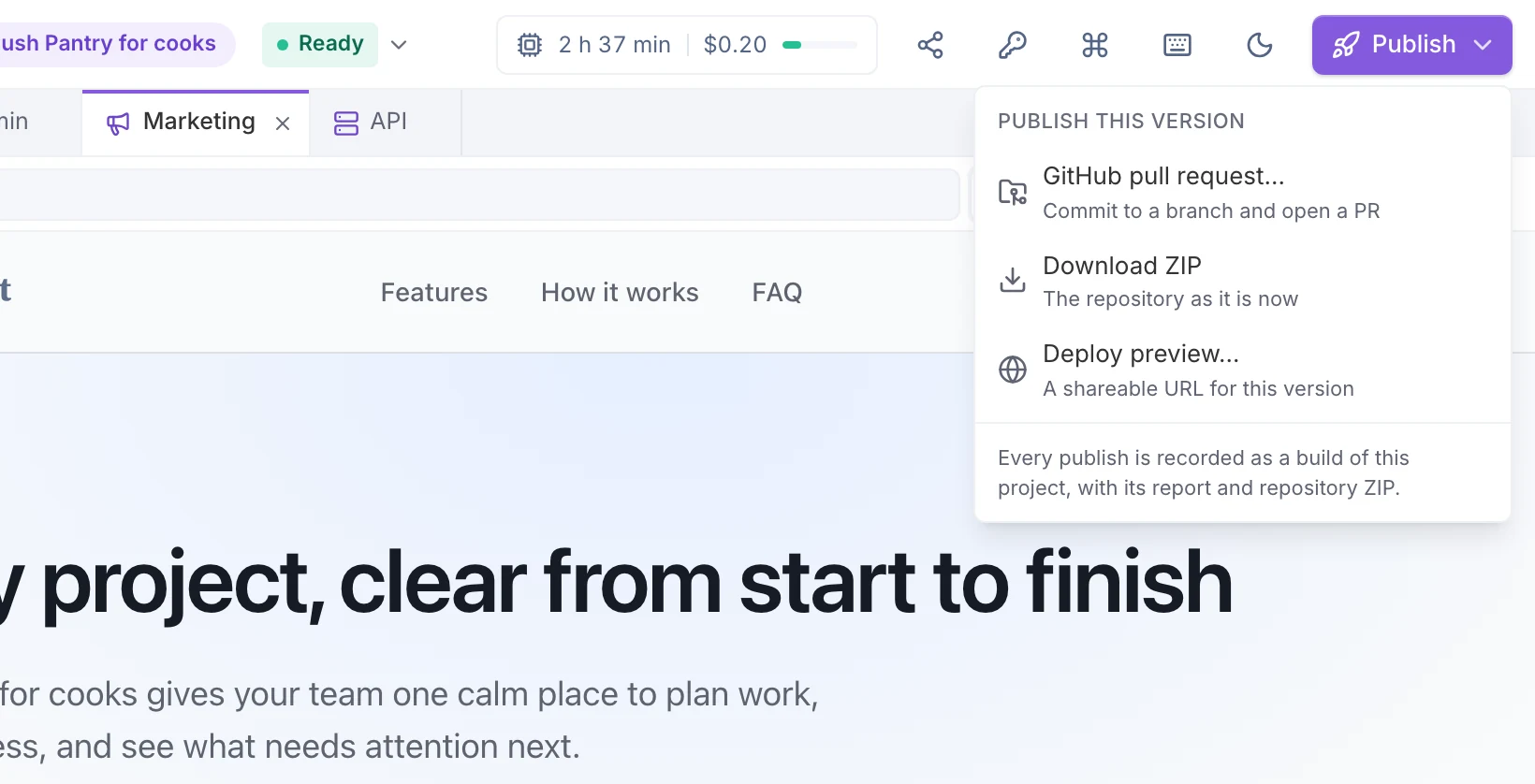
Choose the version, then choose where it goes: a pull request on the project’s connected GitHub repository, a ZIP of the repository, or a deploy preview at a shareable URL. Claim a preview and its hosting and database move into your own accounts.
- Goes in
- The Builder version you choose.
- Comes out
- A pull request, a repository ZIP, or a deploy preview with its own Postgres database.
- Where it ends
- Code in your repository, and a preview people can use. Unclaimed previews are torn down when their time runs out.
Guarantee. Every publish is recorded as a build of the project, with its report and the repository ZIP.
Pull requests and ZIP export are on every plan. Deploy previews are on Team and Enterprise.
What carries forward
The app starts with the research,not a blank editor.
When an app is made from a concept, the Builder writes what the earlier stages produced into its repository. The agent reads these files before it builds a screen or a feature, and it is told not to edit them.
- Match the confirmed screens: layout, spacing, components, and copy
- Use only the brand’s tokens: no other colors, fonts, or radii
- Read the handoff’s requirements and acceptance criteria before building a feature
- Re-import after a design change: docs/design is replaced and saved as a new version
Your app’s repository
- docs/handoff/# from Decide, for apps made from a concept
- README.md
- 00-product/ … 05-execution/# the 26-section handoff
- feature_list.json# from the acceptance criteria
- mockups.md
- docs/design/# the design package
- README.md# how the agent uses it
- brand/# DESIGN.md, tokens, theme, logo, fonts
- screens/<flow>/<screen>@<device>.png# confirmed designs
- screens/<flow>/<screen>.md# screen specs
- storyboard.md# flows and navigation
- public/# favicons, app icons, logo, social image
Method
Models propose.Code decides what must be exact.
The same split runs through every stage. Models draft, critique, and summarize; deterministic code owns anything you need to trust or reproduce.
Models own
- Planning research and extracting claims from sources
- Drafting concepts and scoring each criterion with a rationale
- Name ideas, logo drafts, and screen designs
- Writing and editing the app’s code in the Builder
Code owns
- The score: the median of both evaluators per criterion, times its weight, with hard gates that block regardless of score
- Confidence and disagreement, reported beside the score and never folded in
- Contrast checks on the palette, and logo lockups and icons drawn exactly
- Storyboard limits, versions, per-request spend caps, and files the agent may not change
If one provider is down, evaluation continues with a single evaluator and says so on the card. When evidence runs thin, low coverage caps the recommendation and a targeted evidence-gap pass researches what is missing.
Getting started
Take one idea down the path.Start with the sample project.
Most people begin on the hosted service and explore a sample project before running their own. Teams that need their own infrastructure can talk to us about self-hosting.
Hosted, in three steps
- Create a workspace. Solo and Team are free during early access.
- Open the sample project to see a complete run: concepts, both evaluators, gates, citations, and a handoff.
- Connect your OpenAI and Anthropic keys, run your own ideas, and take the winner through the studios and into the Builder.
Self-hosting
- Docker
- Postgres with pgvector
- Redis
- S3-compatible storage
- Fixture mode