ProductBuilder
Watch the agent build it.Live, against your screens.
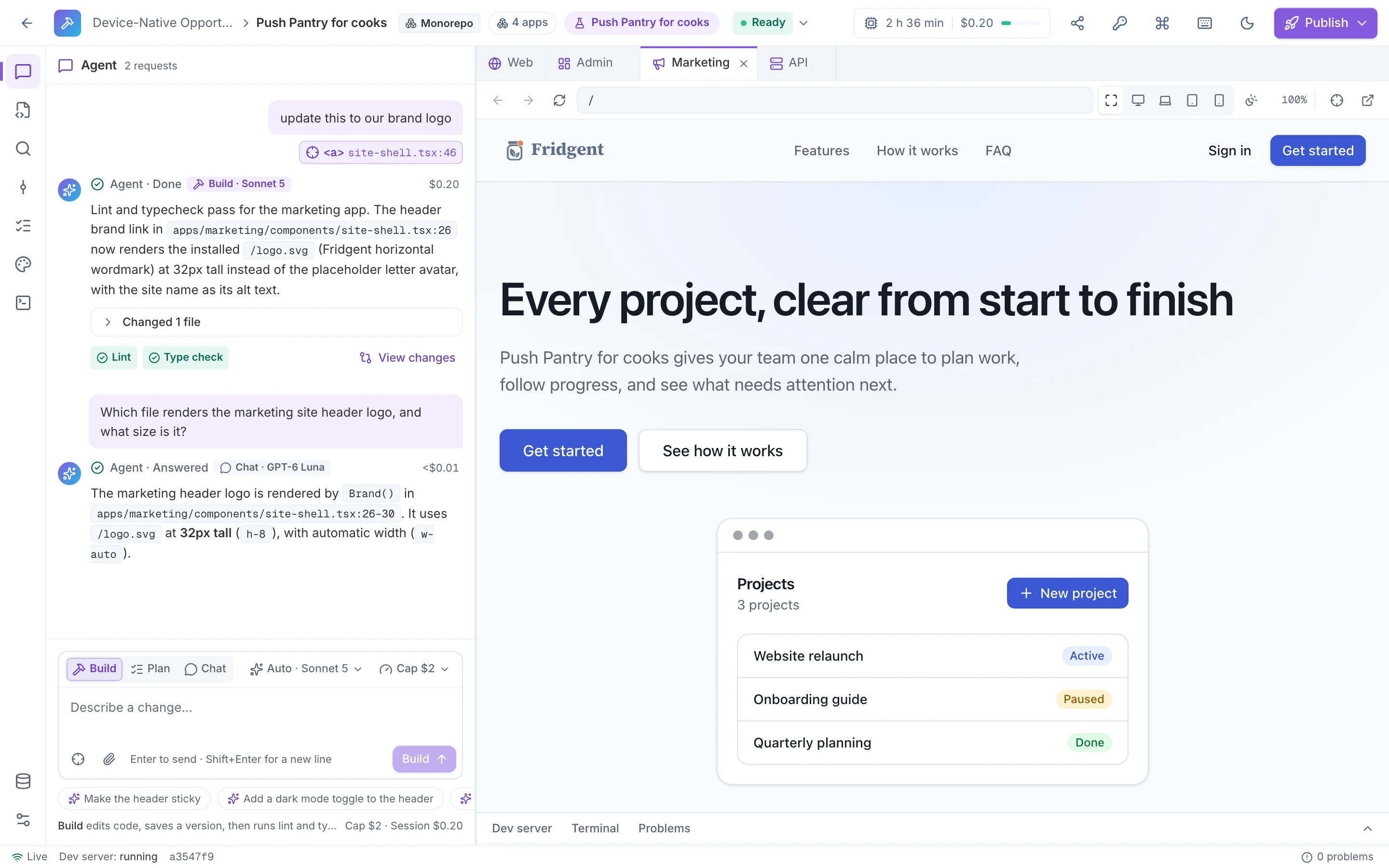
The Builder gives every app a live sandbox and an AI agent. Ask for a change and it edits the code, runs lint and typecheck, and saves a version while the preview updates beside it. It starts from your design package, so it builds the screens you confirmed instead of guessing.
- three agent modes
- Build · Plan · Chat
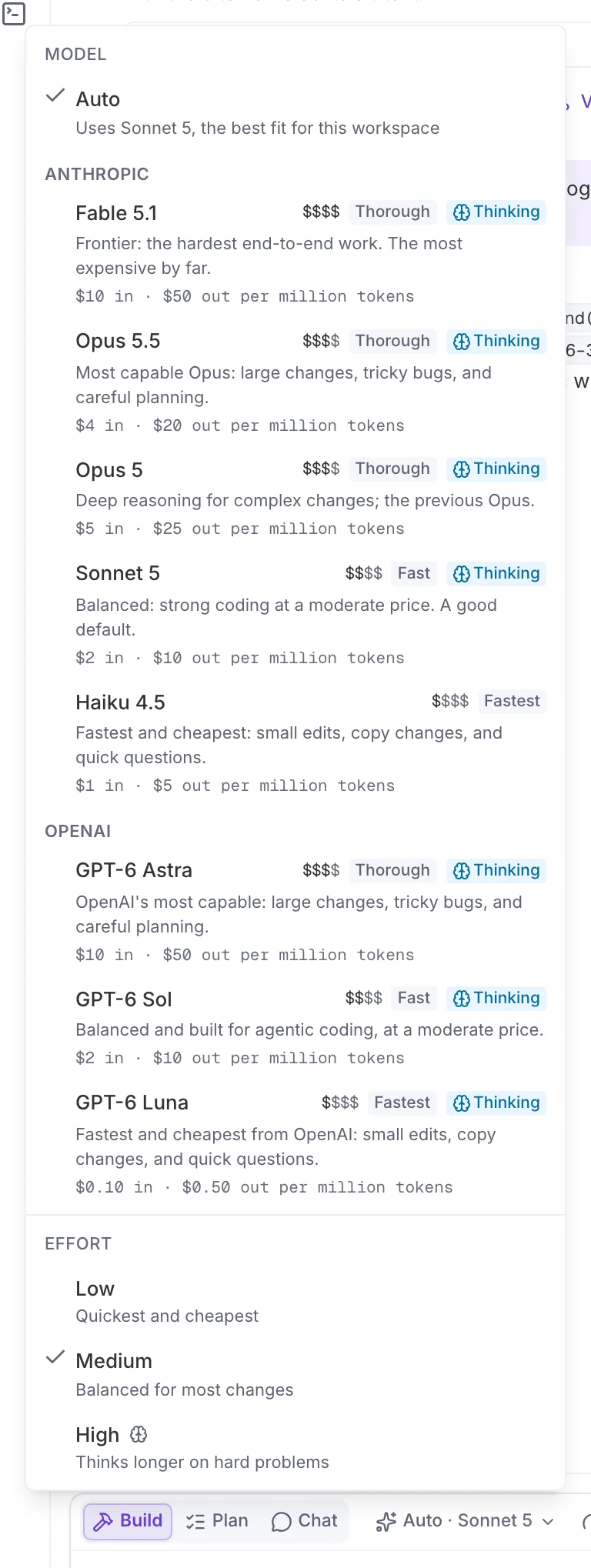
- Claude and GPT-6, each at list price
- 8 models
- per request, adjustable up to $10
- $2 cap by default
- then the sandbox sleeps
- 3 idle minutes
How it works
Ask, watch,keep what works.
- 01
Open the app
Start from a concept’s design package, a template, or a prompt. The sandbox wakes with the dev server running.
- 02
Ask the agent
Describe the change, or select an element in the preview to attach it. Build changes code; Plan and Chat change nothing.
- 03
Watch it work
The agent reads and edits files and runs lint and typecheck, while the live preview updates in the device frame you pick.
- 04
Keep or restore
Every turn saves a version with its diff. Restoring one saves a new version, so history is never rewritten.
Costs
Every request,priced and capped.
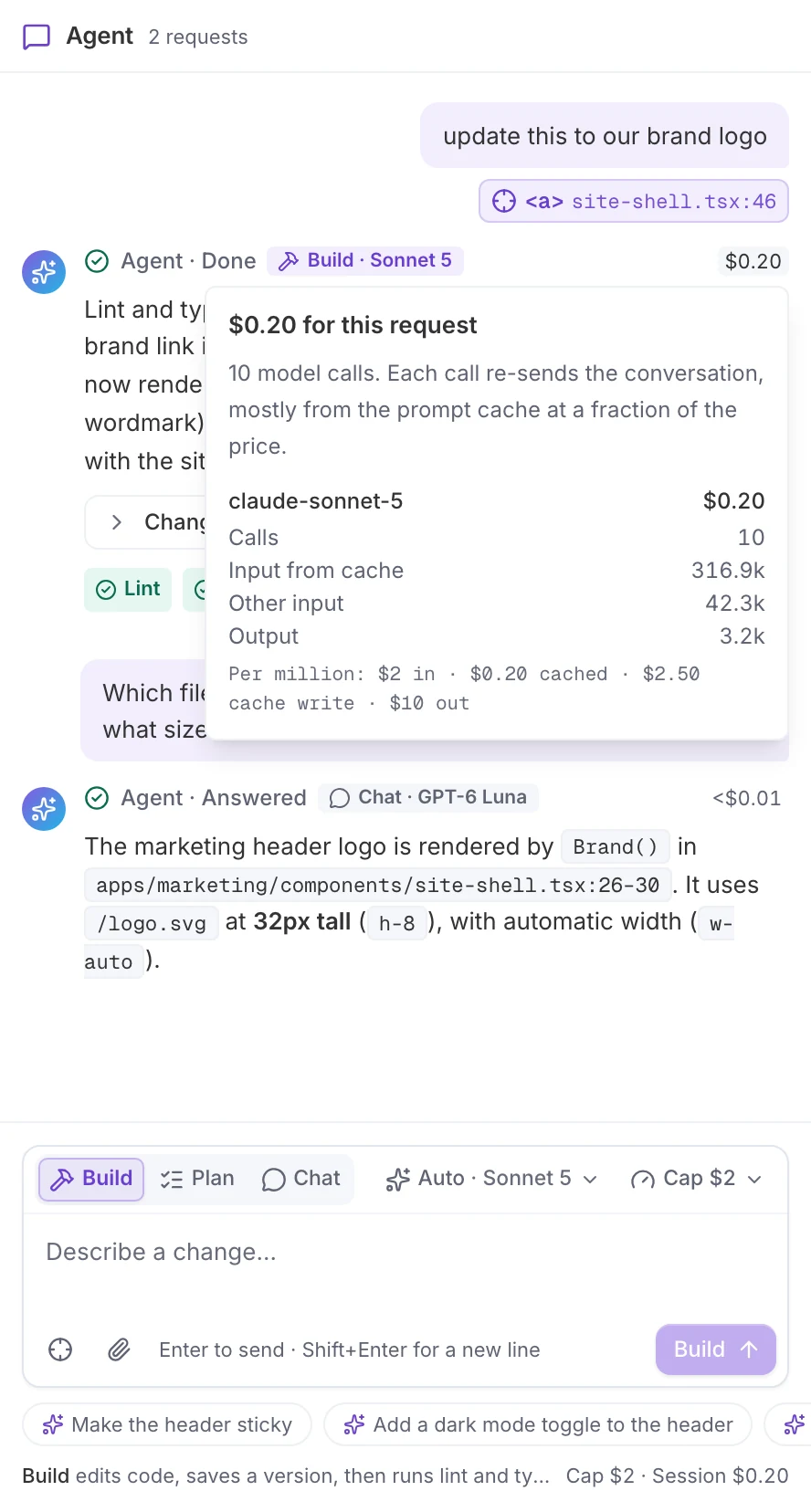
You choose the model and the effort, and set a spend cap for each request. When a turn finishes, its cost opens into a breakdown by model and token type, at the list prices shown in the picker.
- Claude Fable 5.1, Opus 5.5, Opus 5, Sonnet 5, and Haiku 4.5; GPT-6 Astra, Sol, and Luna
- Low, medium, or high effort
- A spend cap per request: $2 by default, up to $10
- Workspace budgets and the usage ledger cover all model spend
- Sandbox time counts against your plan’s build minutes
In the product
Your screens,in the agent’s hands.
From the sample project, made in LiteSurface.
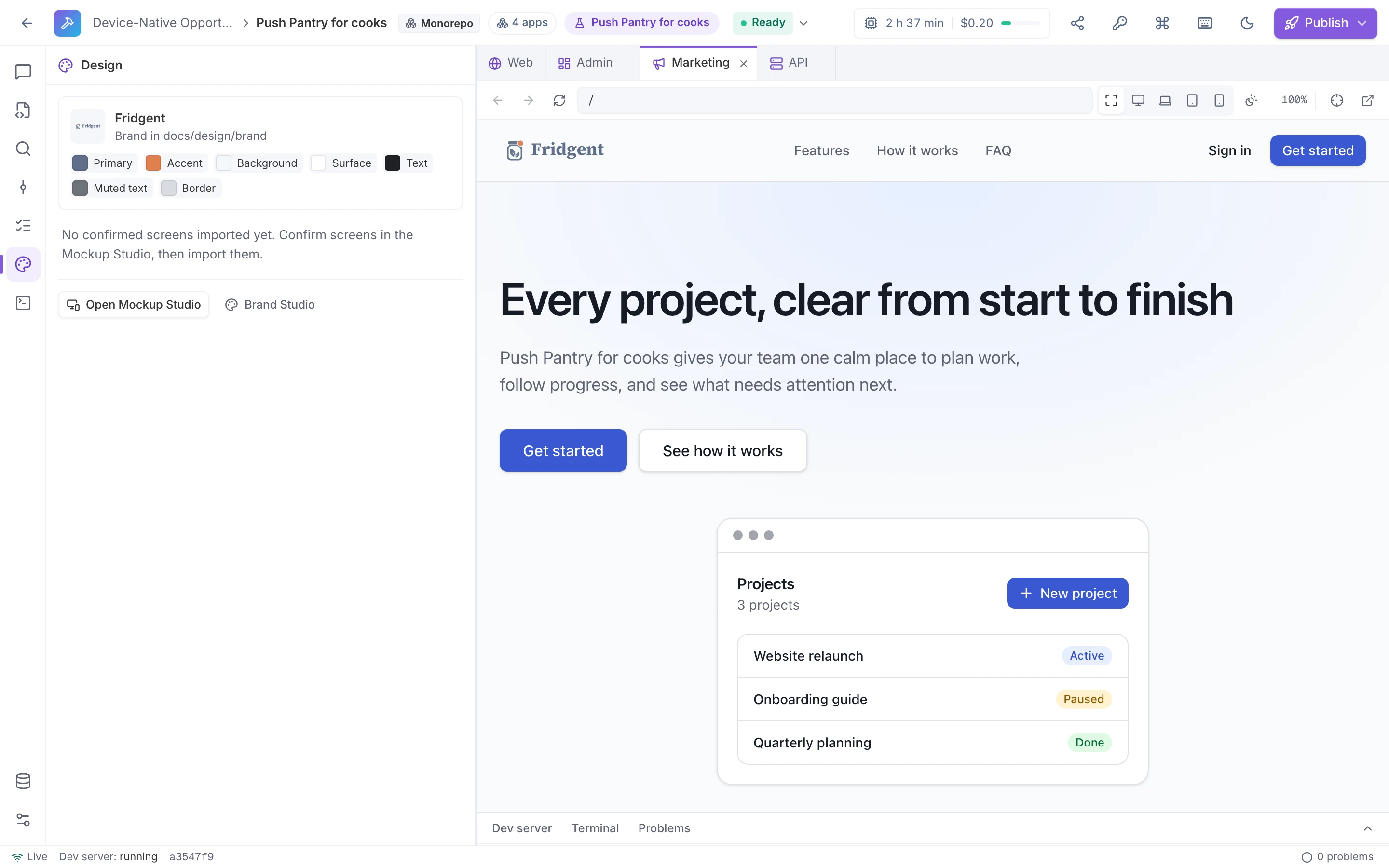
The Design panel
Import the latest design package, compare the build with a confirmed screen side by side or as an overlay, and ask the agent to build a screen from it.
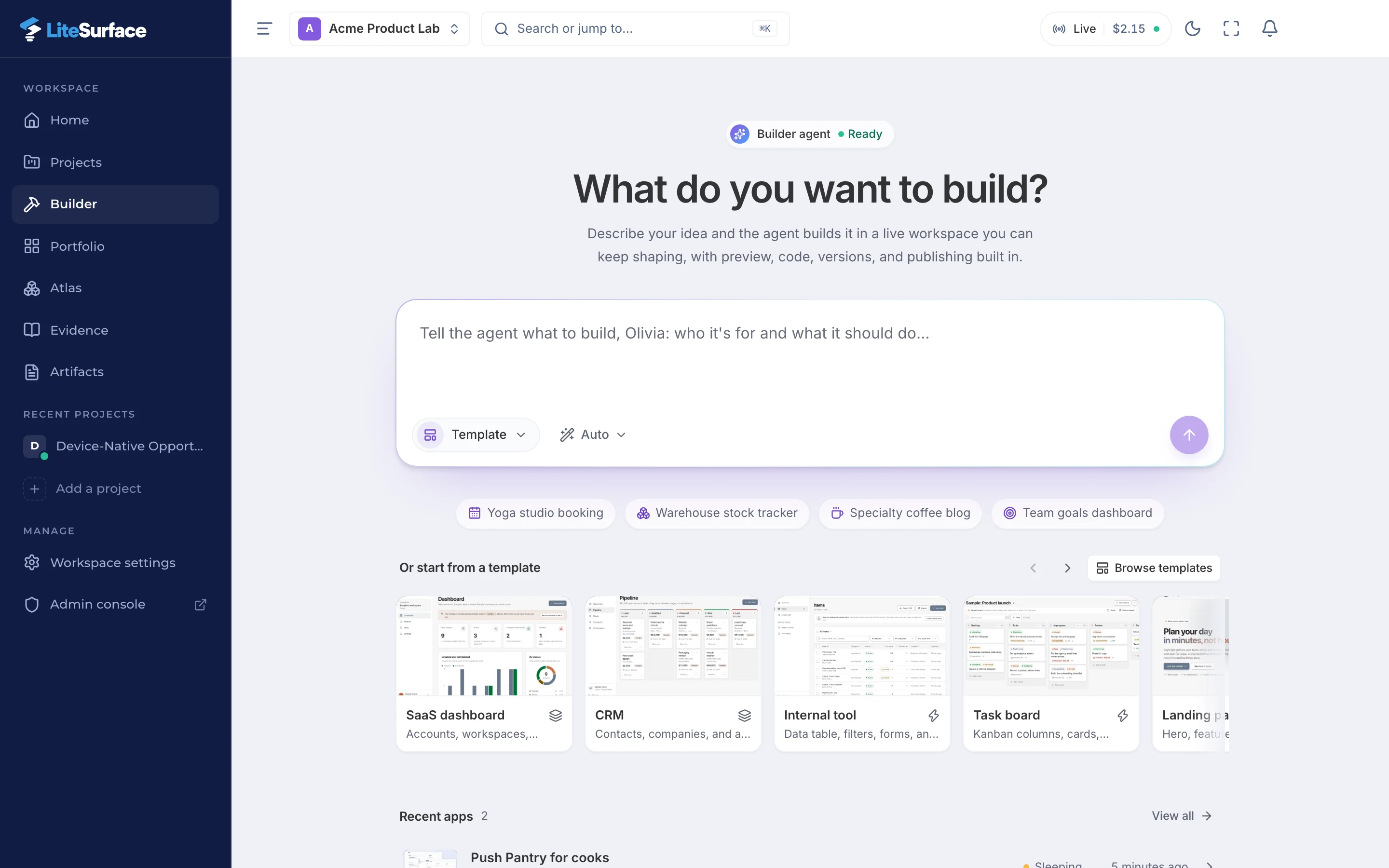
Start from a prompt or a template
Describe the app, pick a framework or let Auto choose, or start from a starter. Apps from a concept arrive with their design package.
Capabilities
Built for real apps,not demos.
A live preview
Device frames for desktop, laptop, tablet, and phone, a tab per app in a monorepo, and a dev server log beside it.
Point at what to change
Select an element in the preview and it is attached to your request, with the file and line it comes from.
Files and an editor
Browse and edit the code yourself. Manual edits save as versions too, automatically or at a save point.
Checks after every turn
Lint and typecheck run after each build turn. The full suite, with tests, acceptance, and a production build, runs on demand.
Environment variables
Stored encrypted and written to the app’s .env.local in the sandbox. The agent sees names, never values.
Design package import
The brand kit, confirmed screens, and specs land in docs/design with icons installed, so the agent builds close to 1:1.
What you getA running app you own.
The code is an ordinary repository you can download or open as a pull request at any time. Solo includes 1 live session and 60 build minutes a month; Team includes 3 sessions and 600 minutes.
- A live sandbox for every app
- An agent in Build, Plan, or Chat mode
- A preview with device frames
- A version with a diff for every change
- Every request’s cost, capped by you
- A repository you can export at any time
From confirmed screensto a running app.
Open the Builder from a concept, a template, or a prompt, and watch the agent build it in front of you.