ResourcesSample project
One idea, followedfrom research to a running app.
A real project made in LiteSurface, not a mockup: Push Pantry for cooks, a pantry app for home cooks that became the brand Fridgent. Follow it through all six stages and see what each one made, and what it carried into the next.
Captured from a LiteSurface workspace on September 26, 2026. Research and scoring ran in fixture mode; the brand, screens, and code used live models. About this sample
- 01Discover
 Cited evidence
 - 02Decide
 A scored concept
 - 03Brand
 A brand kit
 - 04Design
 Flows and screens
 - 05Build
 A real repository
 - 06Ship
 Ready to publish
Sample project · made in LiteSurface
01Discover
Research the space,and keep every source.
The project, Device-Native Opportunity Scan, set one objective: “Find products enabled by modern mobile device capabilities that a small team can prototype rapidly.” Research stored 4 sources and split them into 18 atomic claims, each with a locator back to its passage.
Where it starts
- Project objective
- Find products enabled by modern mobile device capabilities that a small team can prototype rapidly.
- Starting point
- What mobile devices can do today
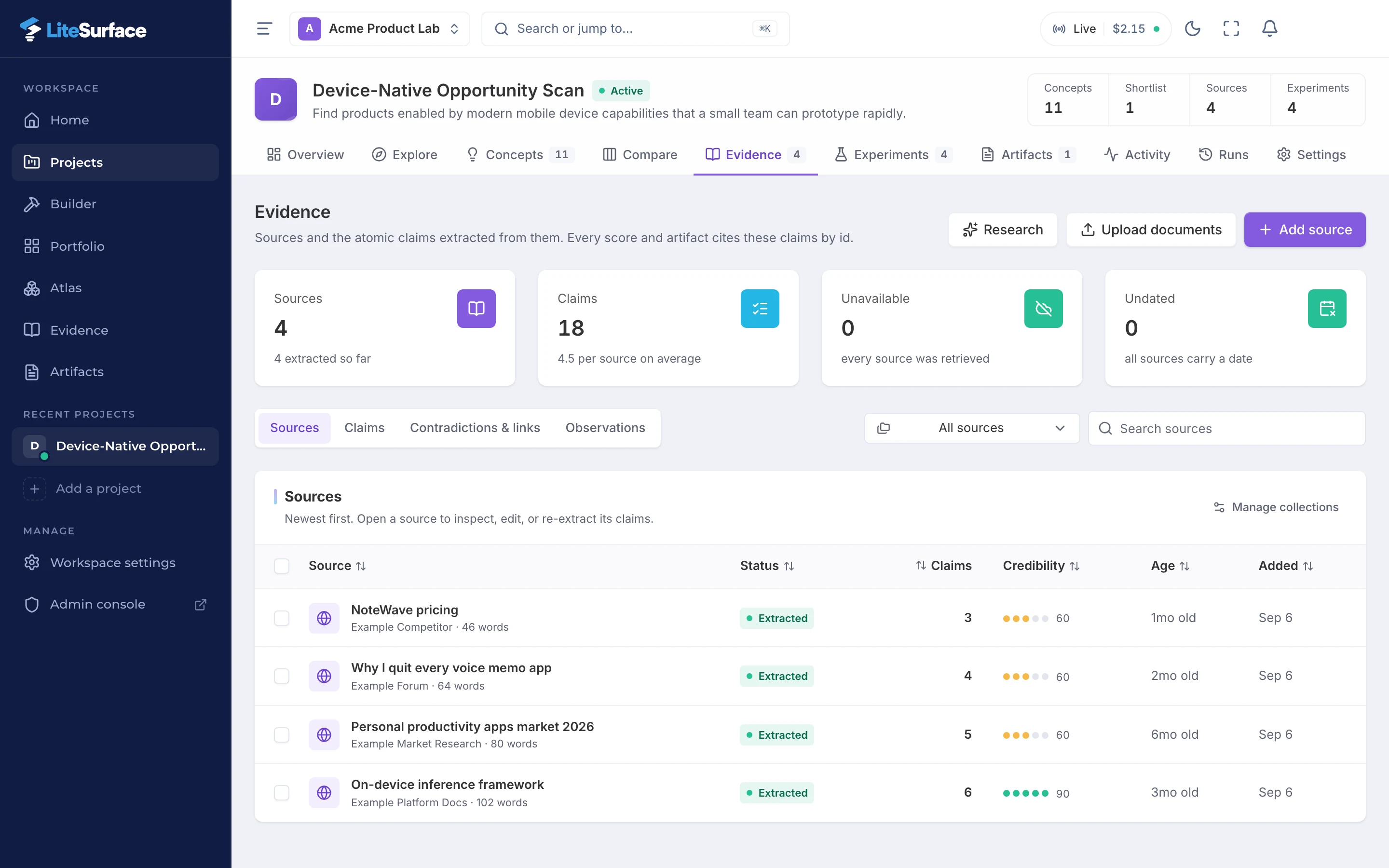
Models up to 3 billion parameters run on devices released after 2024 with typical latency under 200 milliseconds per request.
Privacy concerns were cited by 38 percent of surveyed users as a reason to avoid cloud-based note apps.
Every voice memo app I tried uploads recordings to the cloud before transcribing, which I find unacceptable for work conversations.
Three of the 18 claims, as stored.
The sources in this sample are fictional
Carries forward to Decide
- 18 claims, each with an id
- Every score will cite them
02Decide
Score the idea twice,then decide.
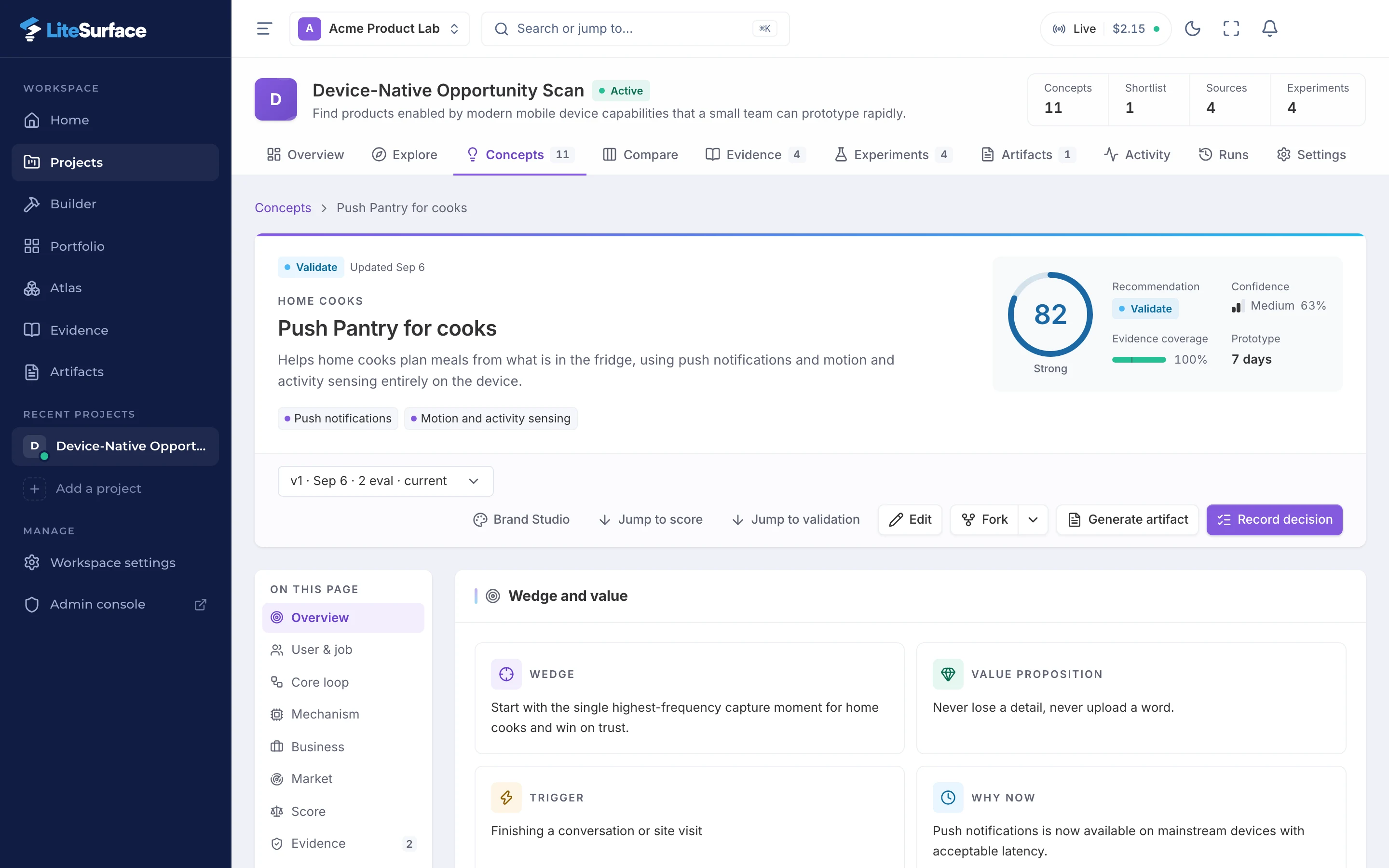
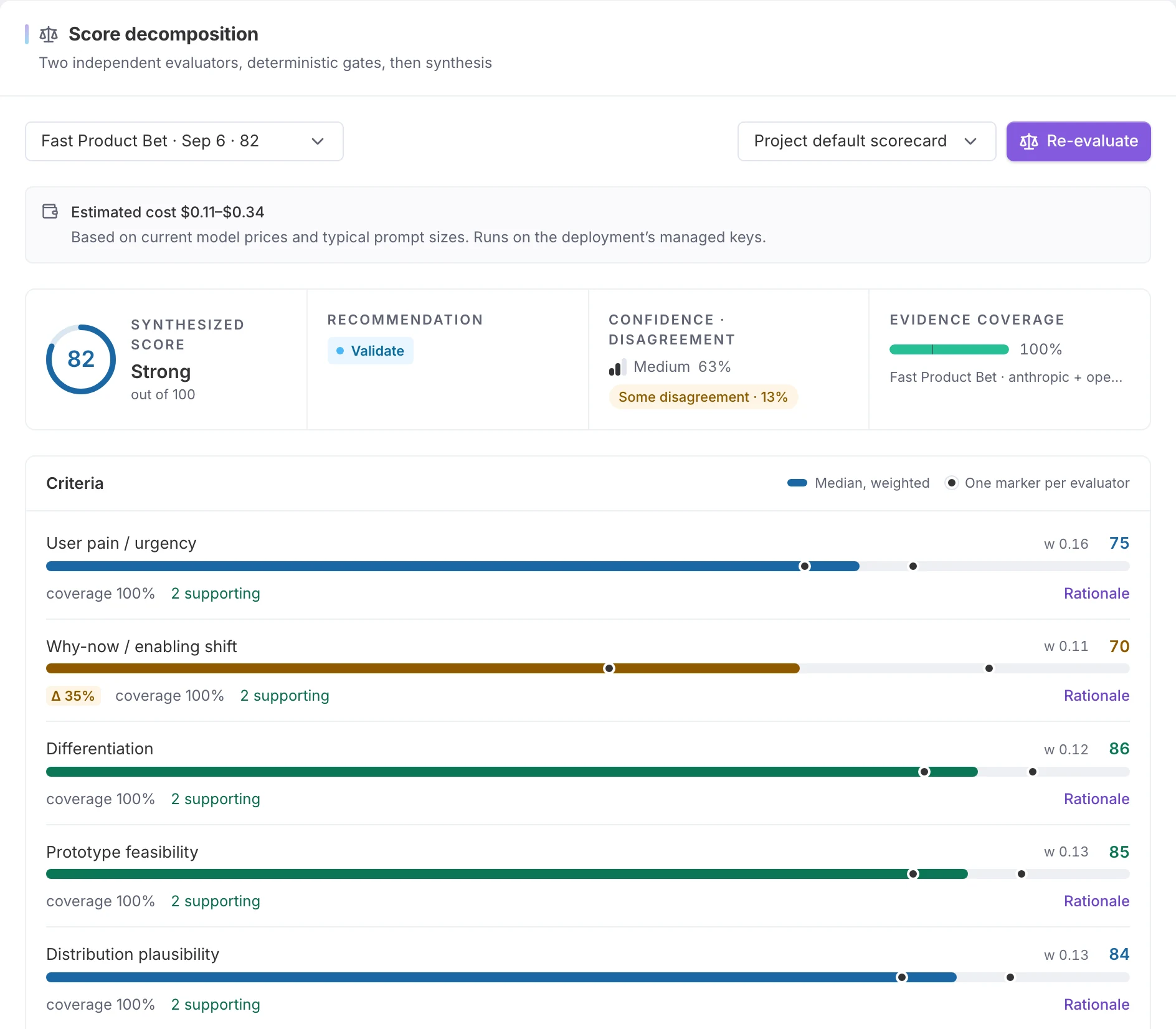
Of the concepts generated from that research, Push Pantry for cooks is the one this sample follows: “Helps home cooks plan meals from what is in the fridge, using push notifications and motion and activity sensing entirely on the device.” Two evaluators scored it on 9 criteria. Code took the medians, checked 6 gates, and put it at 81.6 out of 100: Validate.
From Discover
- Evidence coverage
- 100% of the evidence-based criteria
- Citations
- Two supporting claims behind most criteria
- Defensibility accrual cites
- “Every voice memo app I tried uploads recordings to the cloud before transcribing, which I find unacceptable for work conversations.”
The evaluators here are stand-ins
Carries forward to Brand
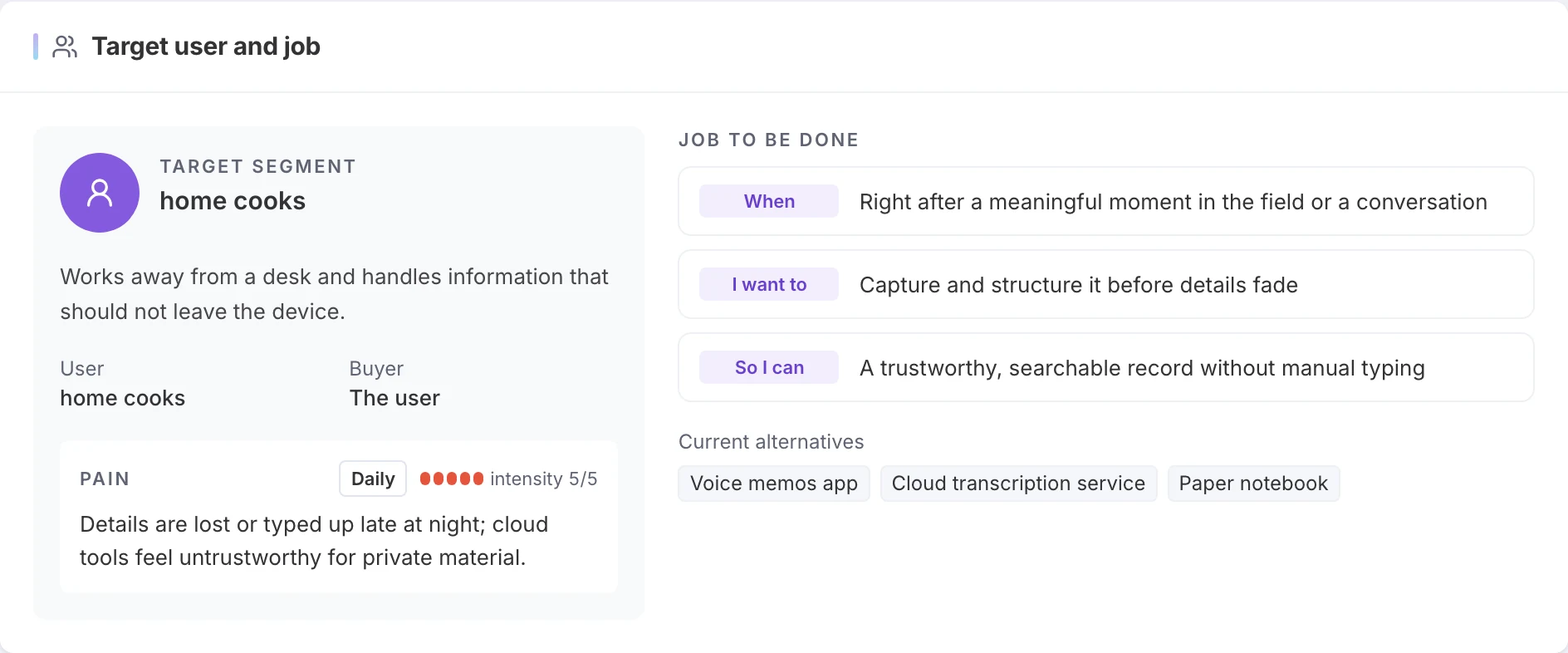
- The user: home cooks
- The promise: “Never lose a detail, never upload a word.”
- A 4-step core loop
- An implementation handoff (26 sections)
03Brand
Name it and brand itfrom the research.
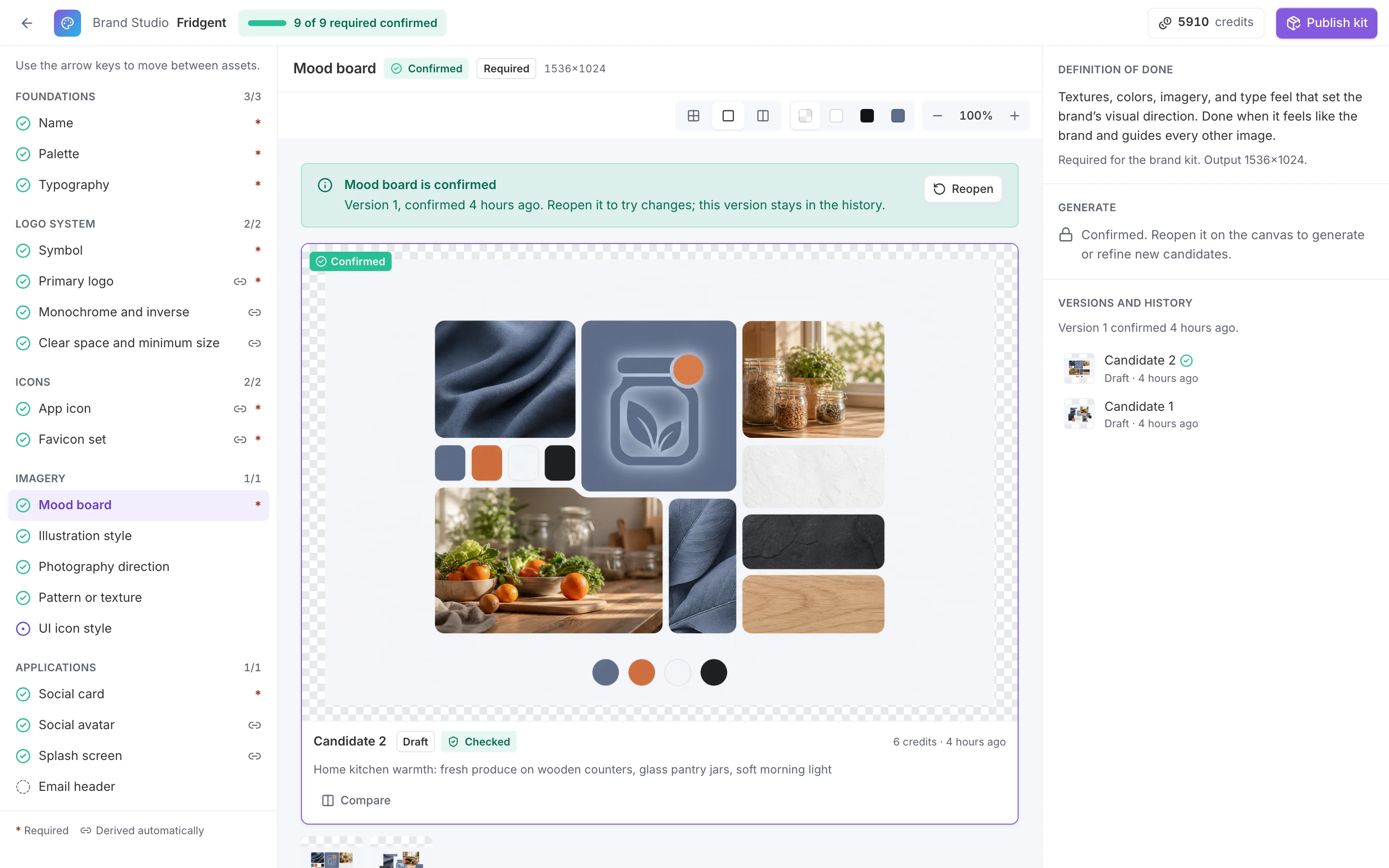
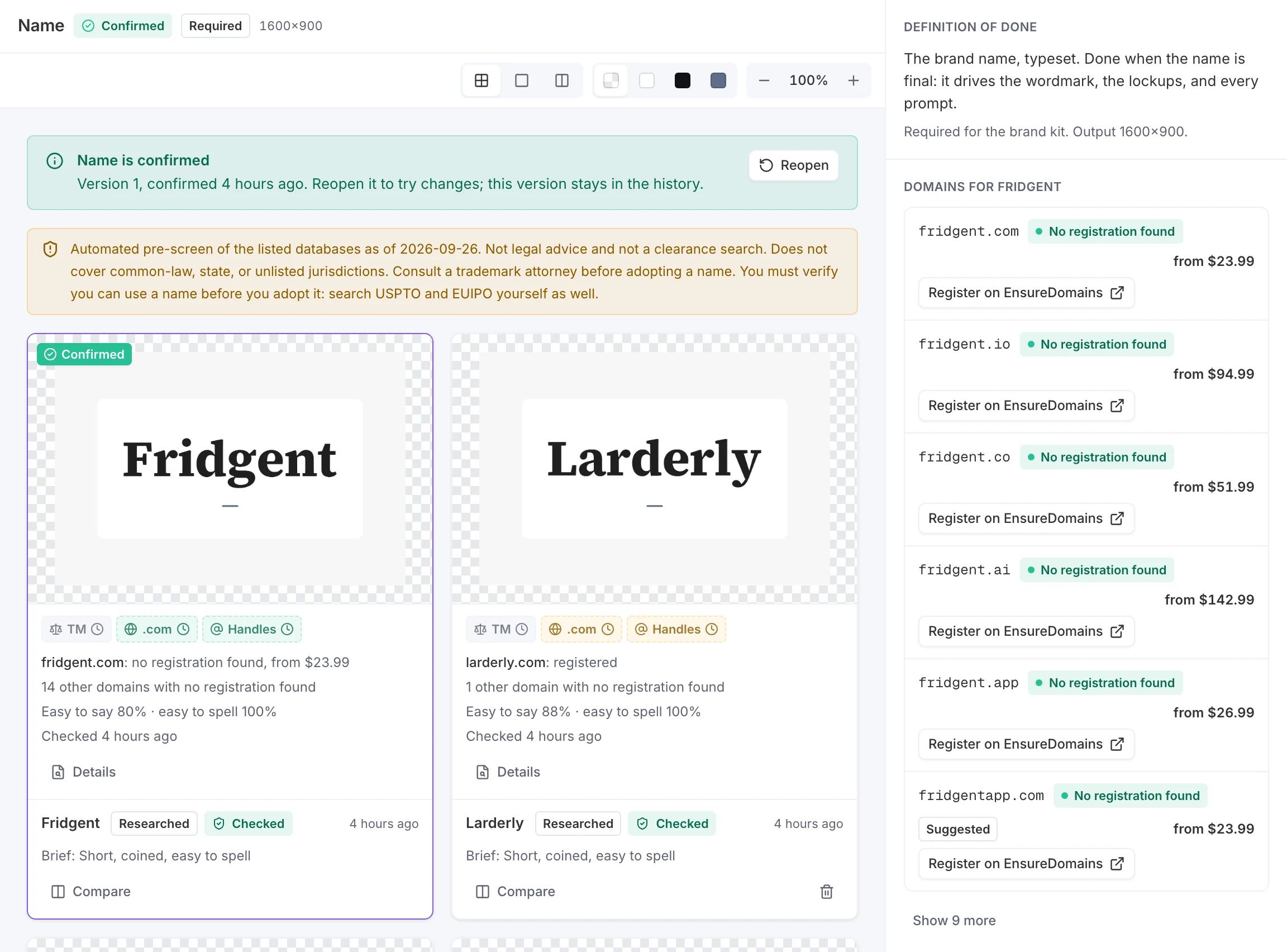
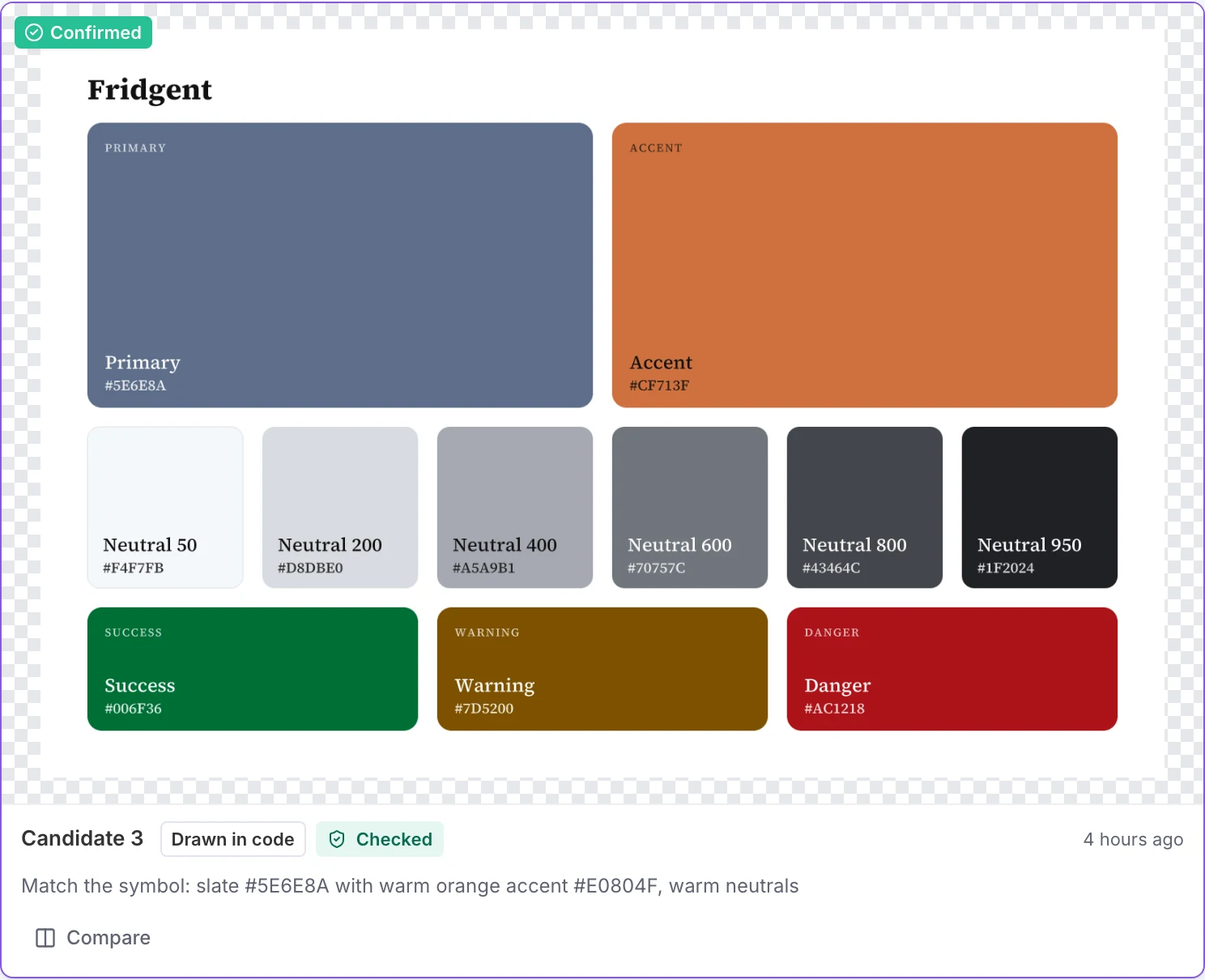
Before drawing anything, Brand Studio wrote a strategy from the concept and its evidence. Then it proposed 80 names and ran availability checks on the 20 strongest: Fridgent was confirmed, with Larderly as the runner-up. All 9 required assets are confirmed, plus 7 optional ones.
From Decide
- Target user, sharpened
- Home cooks who capture pantry and fridge details on the go and don’t want personal household data leaving their phone
- First tagline
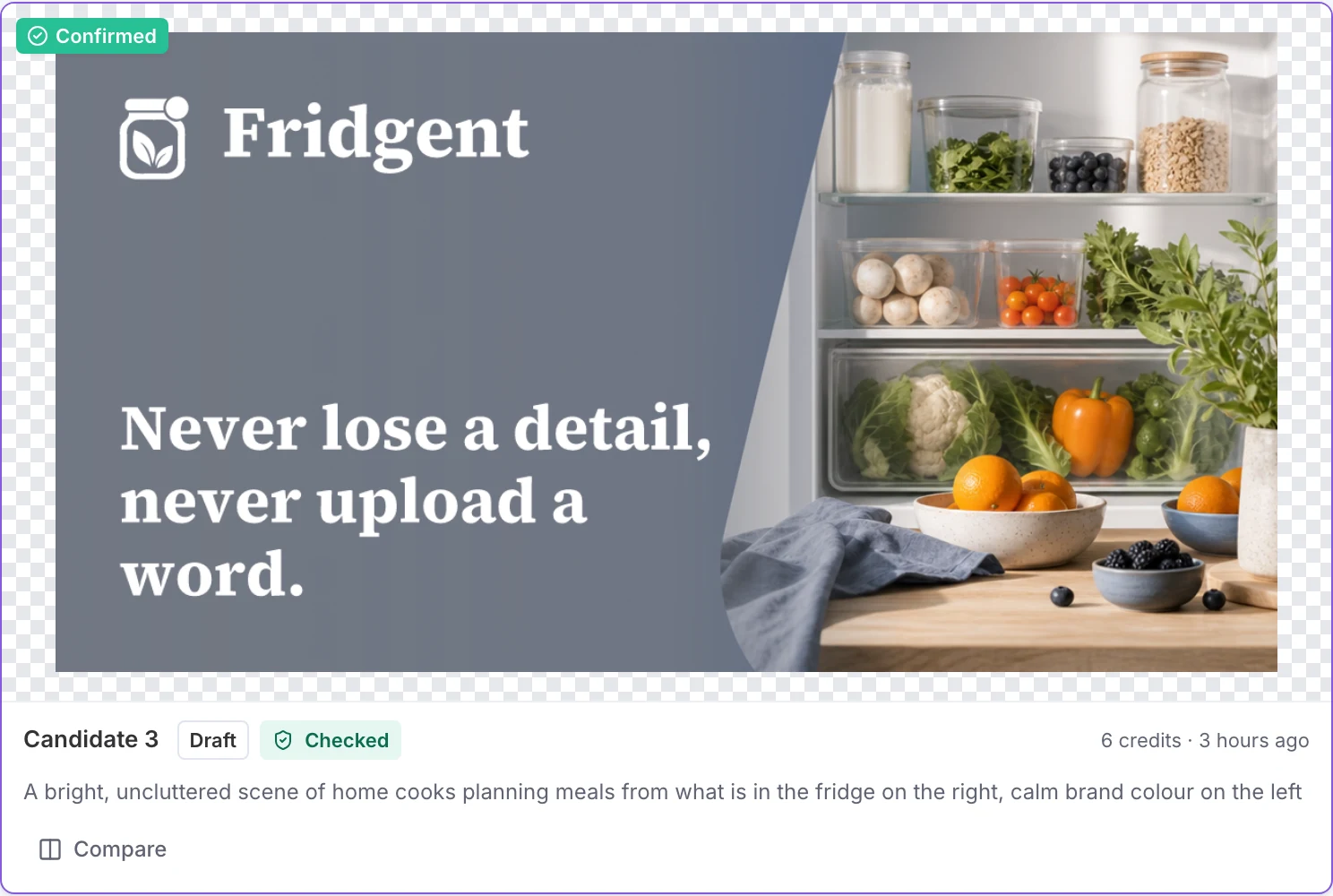
- “Never lose a detail, never upload a word.”
- Pain, quoted from the evidence
- “Every voice memo app I tried uploads recordings to the cloud before transcribing, which I find unacceptable for work conversations.”
- Category
- A privacy-first meal planning app, with the caregiver archetype
- Pillar: Trust before convenience
- Home cooks have learned to distrust apps that upload personal details before processing them, so this one never does. Cites the forum claim above.
- Voice
- Warm, practical, and quietly confident — like a trusted kitchen helper who never oversells and never asks for your data.
Generated as images
GPT Image 2 at draft quality, 6 credits each: symbol, mood board, illustration style, photography direction, pattern, social card.
Derived in code
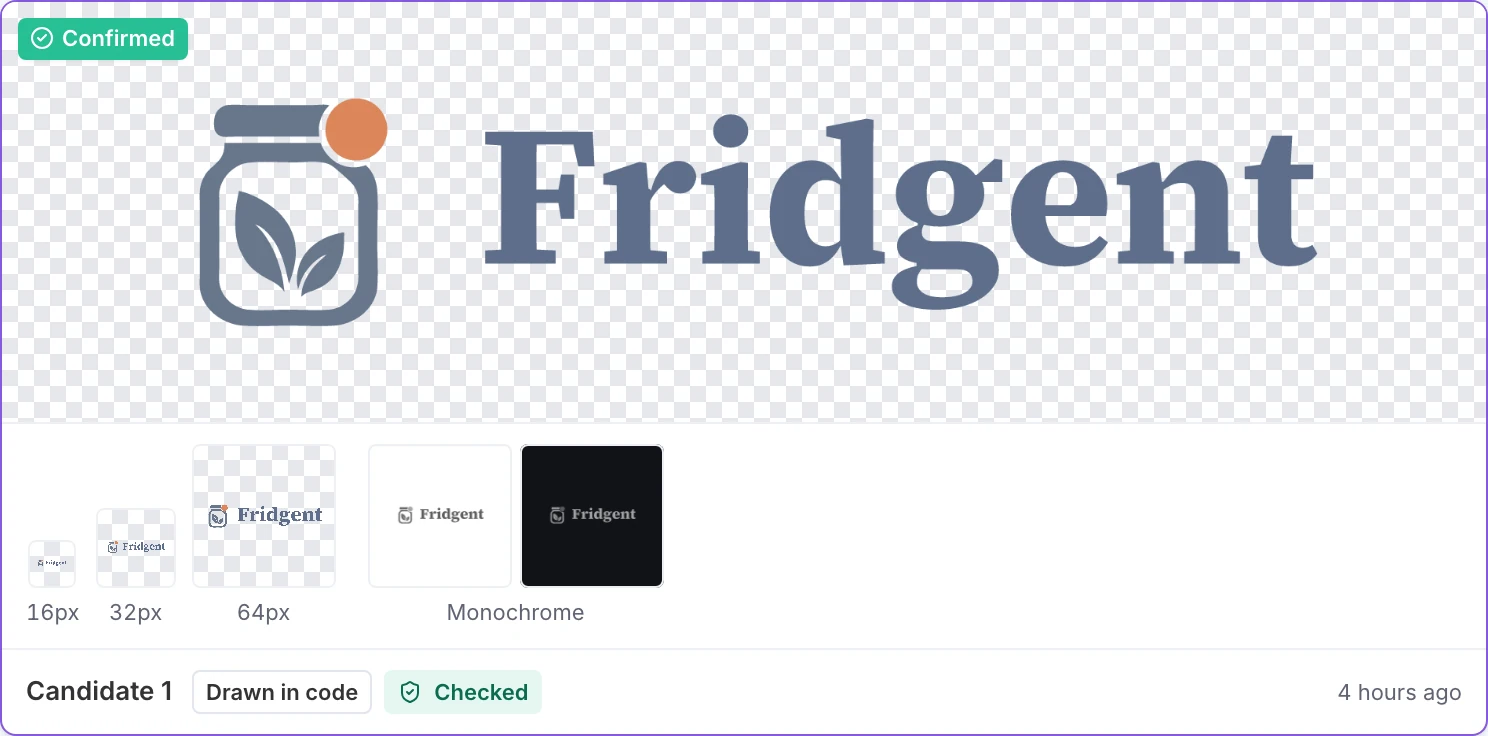
From the confirmed pieces: typeset name, palette, typography, primary logo, monochrome and inverse logos, clear space, app icon, favicon set, social avatar, splash screen. No credits.
Checked before you pick
Domains, social handles, and a trademark pre-screen for the 20 strongest names. A pre-screen, not legal clearance.
Carries forward to Design
- The Fridgent logo and palette sheet
- Type, tokens, and a theme
- Every screen is designed in it
04Design
Plan the flows,then design the screens.
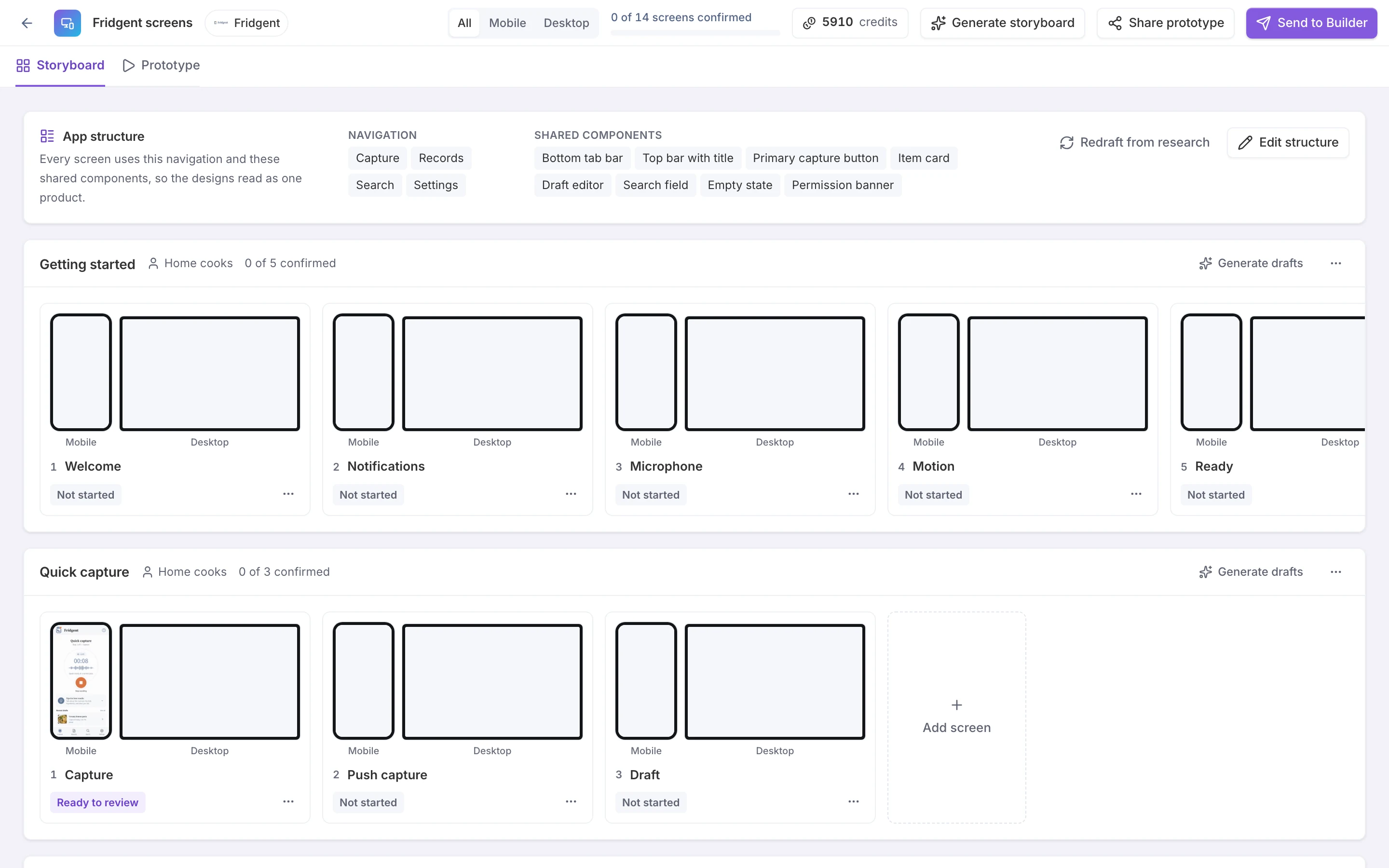
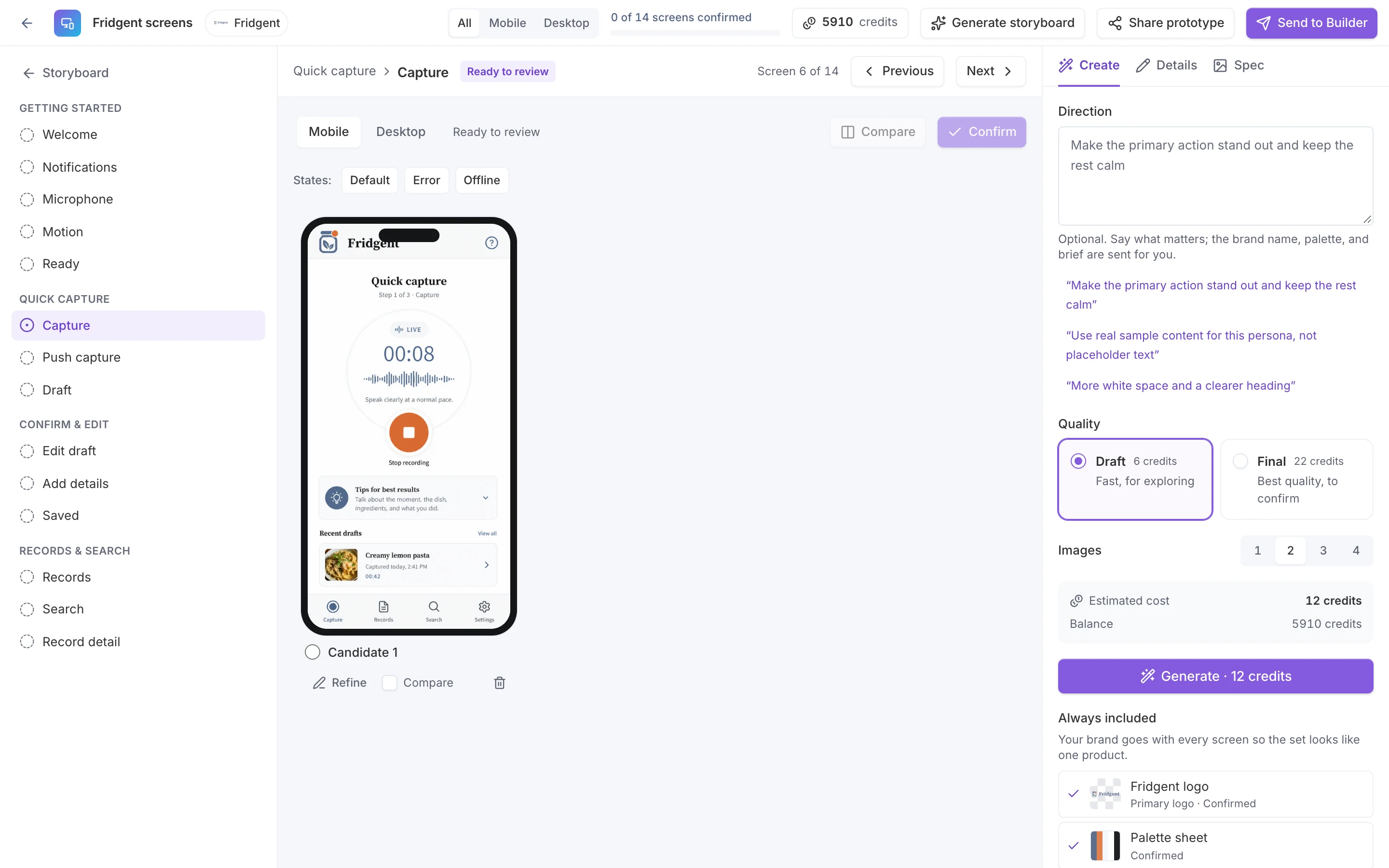
Mockup Studio planned the app from the concept: 4 flows and 14 screens, each for mobile and desktop, sharing one navigation (Capture, Records, Search, Settings). Each screen is then designed in the brand, with the Fridgent logo and palette sheet attached to every request.
From Decide and Brand
- Persona on every flow
- Home cooks
- The core loop, as flows
- Quick capture → Confirm & edit → Records & search
- Brand references
- Fridgent logo and palette sheet
How the core loop became flows
- 1Starts capture with one tapUser
- 2Processes input locally into structured itemsSystem
- 3Confirms or edits the draftUser
- 4Indexes the record for search and remindersSystem
- Getting started: Welcome, Notifications, Microphone, Motion, Ready
- Quick capture: Capture, Push capture, Draft
- Confirm & edit: Edit draft, Add details, Saved
- Records & search: Records, Search, Record detail
Where this sample stops
Carries forward to Build
- The storyboard: flows, navigation, components
- Confirmed screens (none yet)
05Build
Start the real appwith the research inside.
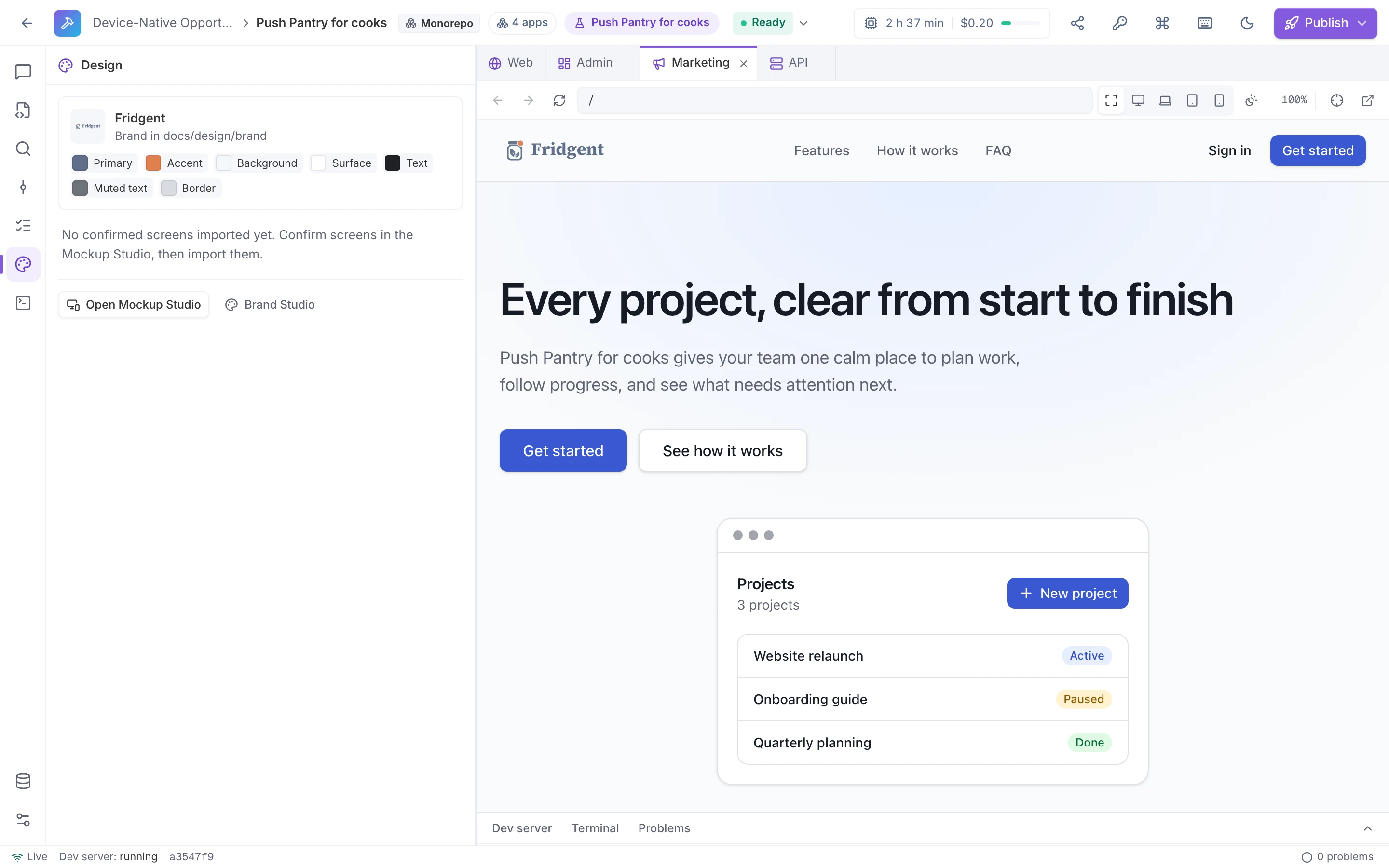
Push Pantry for cooks is a Full-stack monorepo Builder app with four apps: API (Express), Web (Next.js), Admin (Vite + React), Marketing (Next.js). Because it was created from the concept, its first commit already held the handoff. Importing the design package added the brand (54 files).
From every stage before
- docs/handoff/
- The implementation handoff, from Decide
- docs/design/brand/
- Logo, tokens, theme, and fonts, from Brand
- The agent’s brief
- Title, one-liner, target customer, top features, and brand
- docs/handoff/from Decide
- README.md
- 00-product/ (5 files)
- 01-ux/ (4 files)
- 02-engineering/ (7 files)
- 04-quality/ (3 files)
- 05-execution/ (3 files)
- feature_list.json
- docs/design/from Brand
- README.md
- brand/DESIGN.md
- brand/tokens.css · tokens.json · theme.css
- brand/logo/ (11 files)
- brand/fonts/ (with their licenses)
- apps/*/public/favicons, app icons, logo
Paths from the app’s version history: 261 files in the first commit, then 54 from the design package.
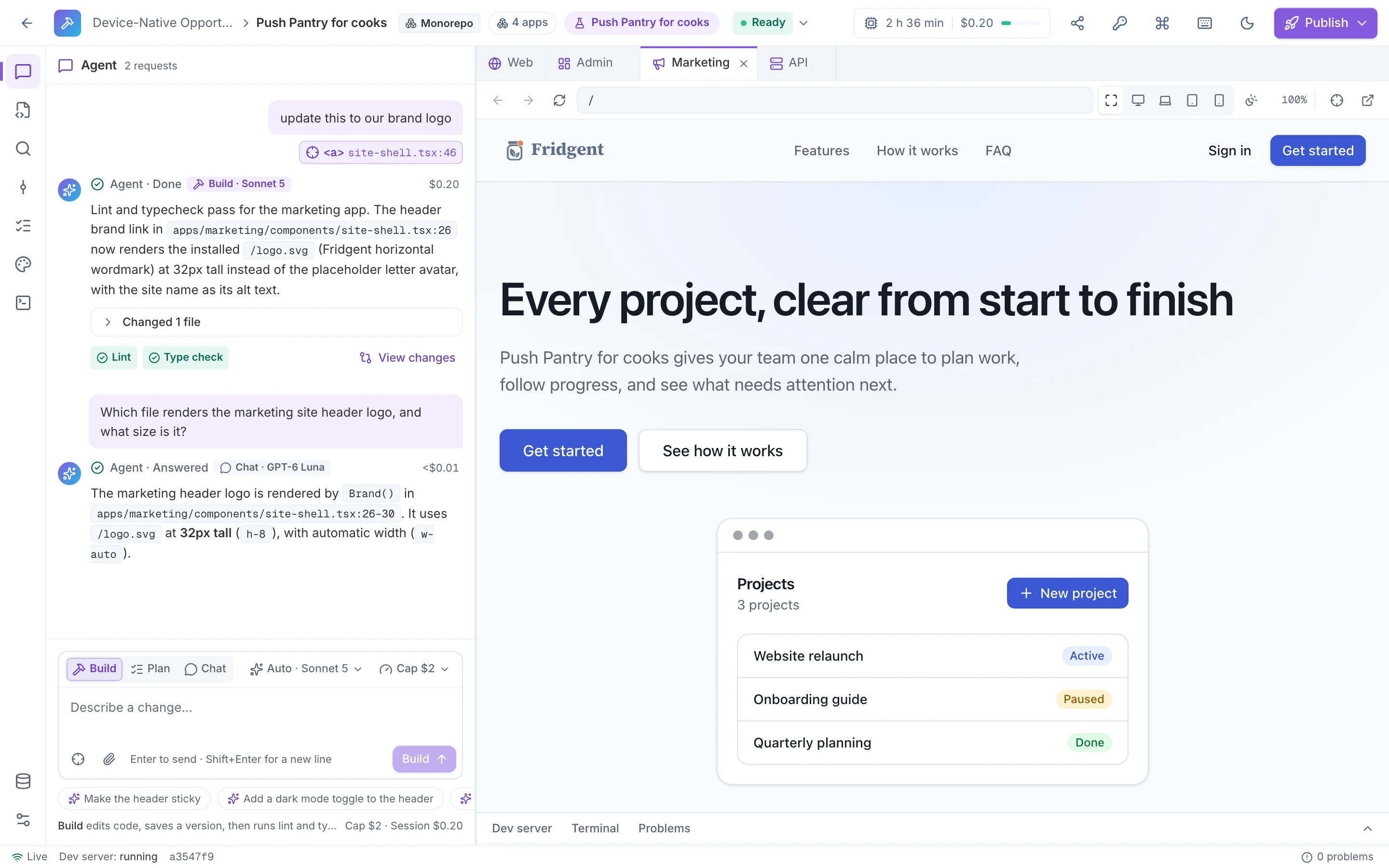
- BuildSonnet 5$0.20
“update this to our brand logo”
The marketing header now renders the installed Fridgent logo instead of the placeholder. One file changed; lint and type check passed.
- ChatGPT-6 Lunaunder $0.01
“Which file renders the marketing site header logo, and what size is it?”
Answered with the file, the line, and the 32 px height. No files changed.
Where this sample stops
Carries forward to Ship
- A repository you can read
- Every change kept as a version
06Ship
Publish a version,on accounts you own.
Any version in the Builder can leave as a GitHub pull request or a ZIP of the repository, and every publish is recorded as a build with its report and ZIP. Single-app projects can also deploy a preview with its own Postgres database, on plans that include previews.
From Build
- The version you reviewed
- With its diff and checks
- The whole repository
- Handoff and design package included
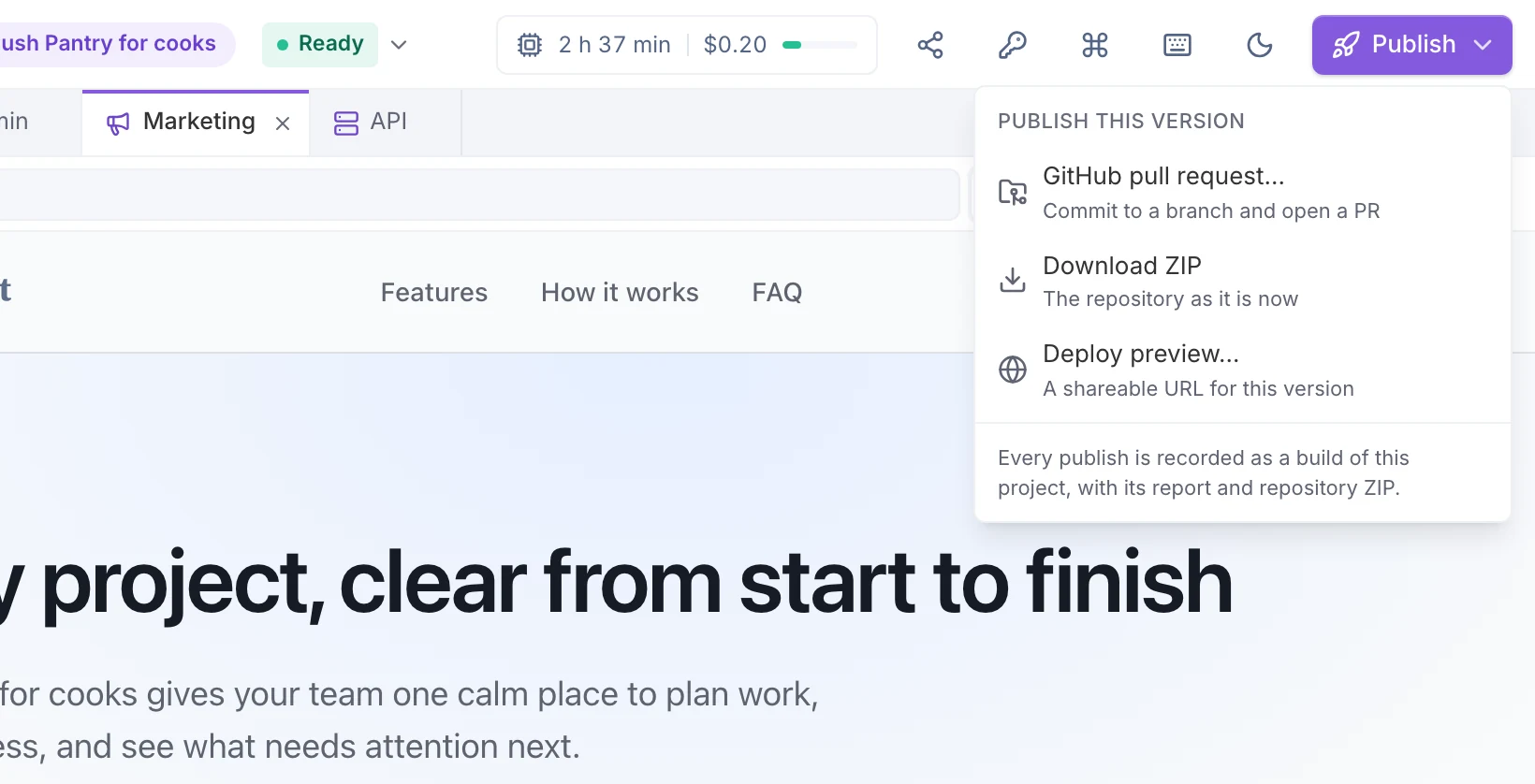
Not published yet
The thread
Five things we followedfrom start to finish.
Nobody retyped anything between stages: each one read what the stage before it stored.
The user
“home cooks”
- DecideTarget segment of the concept
- BrandSharpened into the positioning’s target user
- DesignThe persona on all four flows
- BuildThe target customer in the agent’s brief
The promise
“Never lose a detail, never upload a word.”
- DecideThe concept’s value proposition
- BrandThe first tagline, then the social card headline
One piece of evidence
“Every voice memo app I tried uploads recordings to the cloud before transcribing, which I find unacceptable for work conversations.”
- DiscoverA claim from “Why I quit every voice memo app”
- DecideCited by defensibility accrual
- BrandQuoted as the pain, and cited by a brand pillar
The core loop
- DecideFour steps, from one tap to a searchable record
- DesignThe Quick capture, Confirm & edit, and Records & search flows
The logo
- BrandConfirmed primary logo, drawn from the symbol
- DesignAttached to every screen request
- BuildIn docs/design/brand/logo, then in the marketing header
About this sampleand how far it got.
Every screenshot on this page is a capture of one LiteSurface workspace, taken on September 26, 2026. The concept, the brand, the storyboard, and the Builder app are linked records in the same project, not separate demos.
Research and evaluation ran in fixture mode: a small fictional corpus and deterministic stand-ins for the two evaluators, so the numbers are reproducible. The brand strategy, the generated images, the screen design, and the Builder requests used live models; the costs shown are what those requests cost.
We stopped where the table says, and we would rather show that than dress up a finished-looking app.
- Discover (done)4 sources, 18 claims (fictional corpus)
- Decide (done)Scored 81.6, Validate (stand-in evaluators)
- Brand (done)9 of 9 required assets confirmed
- Design (in progress)Planned: 14 screens; one designed on mobile, none confirmed
- Build (in progress)Started: handoff and brand imported, one build request
- Ship (in progress)Not published yet
Your idea next.Same six stages, nothing lost.
Start with a question and your own evidence. LiteSurface scores the concepts, designs the brand and screens from the research, and hands all of it to an agent that builds the app.
- Solo and Team are free during early access
- Bring your own OpenAI and Anthropic keys